IPD Documentation & Technology
Why desktop HIS fails in the ward
Every modern HIS has clinical modules — discharge summaries, treatment charts, nursing assessments, medication orders. On the vendor’s demo screen, they look fully digital. However, these modules were designed for a user sitting at a desktop. In an IPD ward, the clinical workflow is fundamentally different.
A nurse records vitals while standing at a bedside. A doctor writes progress notes while examining a patient. Medication administration happens in motion — walking from bed to bed. None of these activities happen at a desk.
Consequently, what actually happens in most hospitals is double documentation. The nurse writes on a paper chart at the bedside. After her shift, she sits at the nursing station desktop and re-enters everything into the HIS. The doctor scribbles notes during rounds, and a junior resident types them into the system 90 minutes later.
The desktop HIS captures the data eventually. But it does not reduce manual documentation in hospitals. It doubles it.
— free, in 30 seconds.
Why phone-based IPD apps fail at the bedside
Some HIS vendors responded to this problem by putting their application on a mobile phone. The logic seemed sound — every nurse has a phone, no hardware cost, easy deployment.
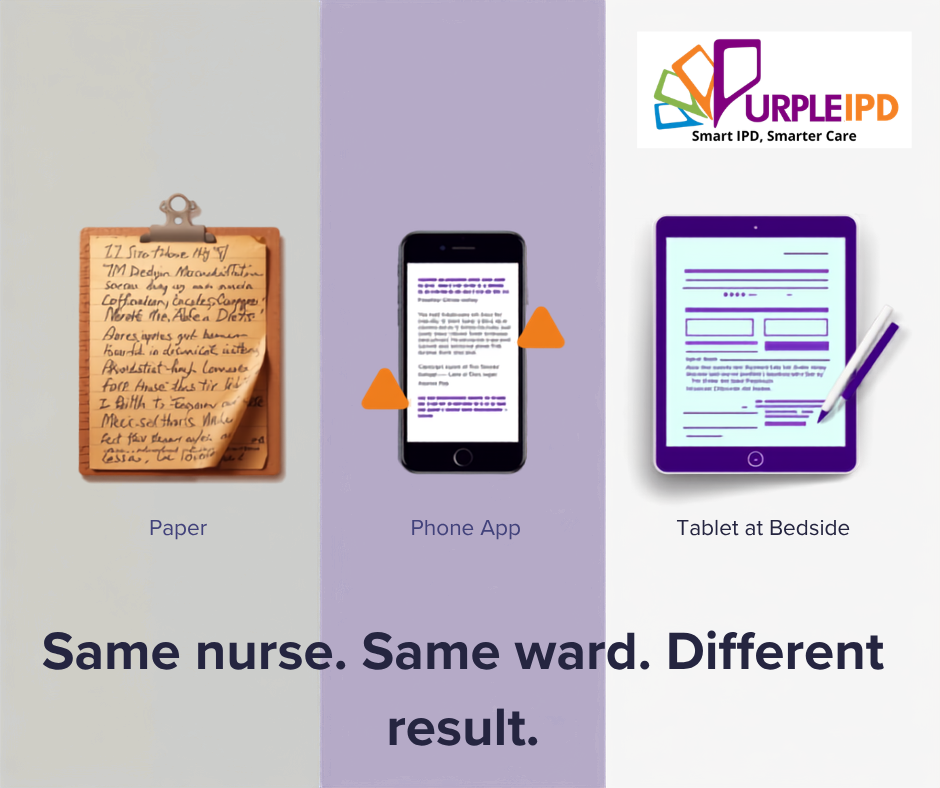
In practice, here is what phone-based documentation looks like during a morning round:
| Step | On paper | On phone app | On tablet-based IPD software |
|---|---|---|---|
| Find the form | Pick up clipboard | Unlock → open app → search patient → navigate 3 menus | Tap patient name → form opens |
| Enter vitals | Write on chart – 20 sec | Squint at tiny fields, type on small keyboard with – 3-4 min | Type or scribble on full-size form – 30 sec |
| See full record | Flip through pages | Scroll endlessly on small screen | Full form visible – same as paper |
| Total per patient | 30 seconds | 3-4 minutes | 30-40 seconds |
A nurse has 20 patients in a ward. At 3-4 minutes per patient on a phone, vitals alone take over an hour. On paper or a properly designed tablet, the same task takes 10 minutes. The phone is technically capable. It is practically unusable at the bedside.
This is why hospitals that tried phone-based IPD documentation went back to paper — and concluded that “paperless doesn’t work for us.” It wasn’t the nurses who failed. It was the device and design.
What makes tablet-based IPD software work at the bedside
The tablet alone is not the solution. A tablet running a desktop HIS interface is just a bigger phone with the same usability problems. What makes tablet-based IPD software effective is three design decisions that match how clinical staff actually work.
1. Forms that imitate existing paper
If a nurse has been filling a specific vitals chart for 8 years, the digital form on the tablet should look identical. Same layout. Same fields in the same positions. Same sequence. When the nurse picks up the tablet, she should think “this is my chart” — not “where do I click.”
This means every hospital gets custom-configured forms. Not a generic template. Their actual paper forms, digitised to look and feel the same. There is no training manual needed when the interface is already familiar.
2. Scribble and type — both supported
Clinical documentation happens with gloves on, standing up, in a hurry. Some nurses prefer typing. Some prefer writing on the screen with a stylus — the same way they write on paper. Quick entries like vitals readings? Type. Detailed observation notes? Scribble.
Supporting both input methods is critical to improve inpatient documentation rates. When the software accommodates the nurse’s natural behaviour instead of forcing a new one, adoption follows immediately.
3. Full form visible on one screen
A 10-inch tablet displays a complete clinical form without scrolling. Every field is visible the way it is visible on a paper chart — at a glance. The nurse does not navigate menus. She does not search for fields. She sees everything and fills what she needs. This is impossible on a phone screen and impractical on a desktop across the room from the patient.
Real adoption speed: why nurses switch to tablet-based IPD software in 1-2 days
Across every hospital we have deployed in, the pattern repeats. Day one: nurses are cautious. Some use the stylus. Some type. A few keep their paper charts alongside, just to feel safe.
Day two: the paper charts stop moving. Not because anyone told the nurses to stop. Because the tablet was faster. The form looked the same. And they could scribble just like before.
Doctors adopt for a different reason. They care about writing effort. When tablet-based IPD software reduces their documentation load — with AI-suggested discharge summaries, auto-populated fields from OPD, and real-time data already entered by nursing staff — resistance disappears. One consulting doctor reported a 1.5x increase in OPD practice simply because documentation took less time.
What tablet-based bedside documentation enables beyond the ward
When clinical data is entered at the point of care in real time, several things become possible that paper or retrospective desktop entry can never deliver.
PurpleIPD: India’s tablet-based IPD software built for the bedside
PurpleIPD is tablet-based IPD software designed from the ground up for bedside documentation in Indian hospitals. It does not take a desktop HIS and shrink it to a tablet. It starts with how nurses and doctors actually work in a ward — and builds the software around that reality.
- Custom forms — your hospital’s actual paper forms digitised, not generic templates
- Scribble + type — stylus writing and keyboard input both supported
- Real-time documentation — data entered during the round, not after
- Parallel access — multiple departments on the same record simultaneously
- AI discharge summaries — auto-generated from data already entered during the stay
- Digital consent with video — PM-JAY video consent built in
- On-premise deployment — runs on hospital LAN, zero internet dependency
- ABDM certified, NABH ready — ABHA linkage, FHIR R4, full audit trail
Part of the PurpleDocs ecosystem — PurpleHMIS for hospital operations, PurpleEMR for OPD, PurpleIPD for IPD, and PurpleDocs Digitisation for legacy paper records. One patient ID connects everything. OPD flows into IPD. IPD flows into discharge. Past records sit alongside current records.
See tablet-based IPD documentation in action
20 minutes. Your forms. Your ward layout. No generic demo.
Related reading
- Paperless Hospital Software Delhi NCR
- NABH Accreditation: The IPD Checklist Hospitals Fail On
- How to Reduce Patient Discharge Time
- HIS vs Paperless IPD: The Two-Layer Framework
- On-Premise Paperless Hospital Software India