
A digital prescription is a prescription that you create, sign and store in software instead of writing it on paper. You pick the drugs, dose and duration on a screen. The patient then gets a printout, PDF or message that any pharmacist can read without guessing. It is the same medical order, minus the illegible handwriting.
For clinics and hospitals in urban Gujarat, the change is practical. Your patients already carry phones, your pharmacies already read typed labels, and your records already pile up in files. A digital prescription turns each visit into a structured, searchable record you can reuse at the next one.
This article explains why digital prescriptions matter, how an e-prescription system works step by step, what a valid one must contain, and how to start in a clinic or hospital. PurpleIPD is built in Vadodara for Indian hospitals, so the hospital side gets some extra detail.
Why digital prescriptions beat handwritten ones
A digital prescription beats a handwritten one on three counts: it is easier to read, faster to reuse and simpler to trace. Each gain shows up in the first week of use.
Fewer errors from unreadable or incomplete orders
Accuracy is the clearest benefit. A 2016 evaluation of outpatient prescriptions in the urban part of central Gujarat, published on PubMed Central, found that computerized prescriptions were associated with relatively lower error rates than handwritten ones. Typed orders remove the illegible handwriting problem entirely. Good software also prompts you for missing fields such as dose, frequency and duration before it lets you finish.
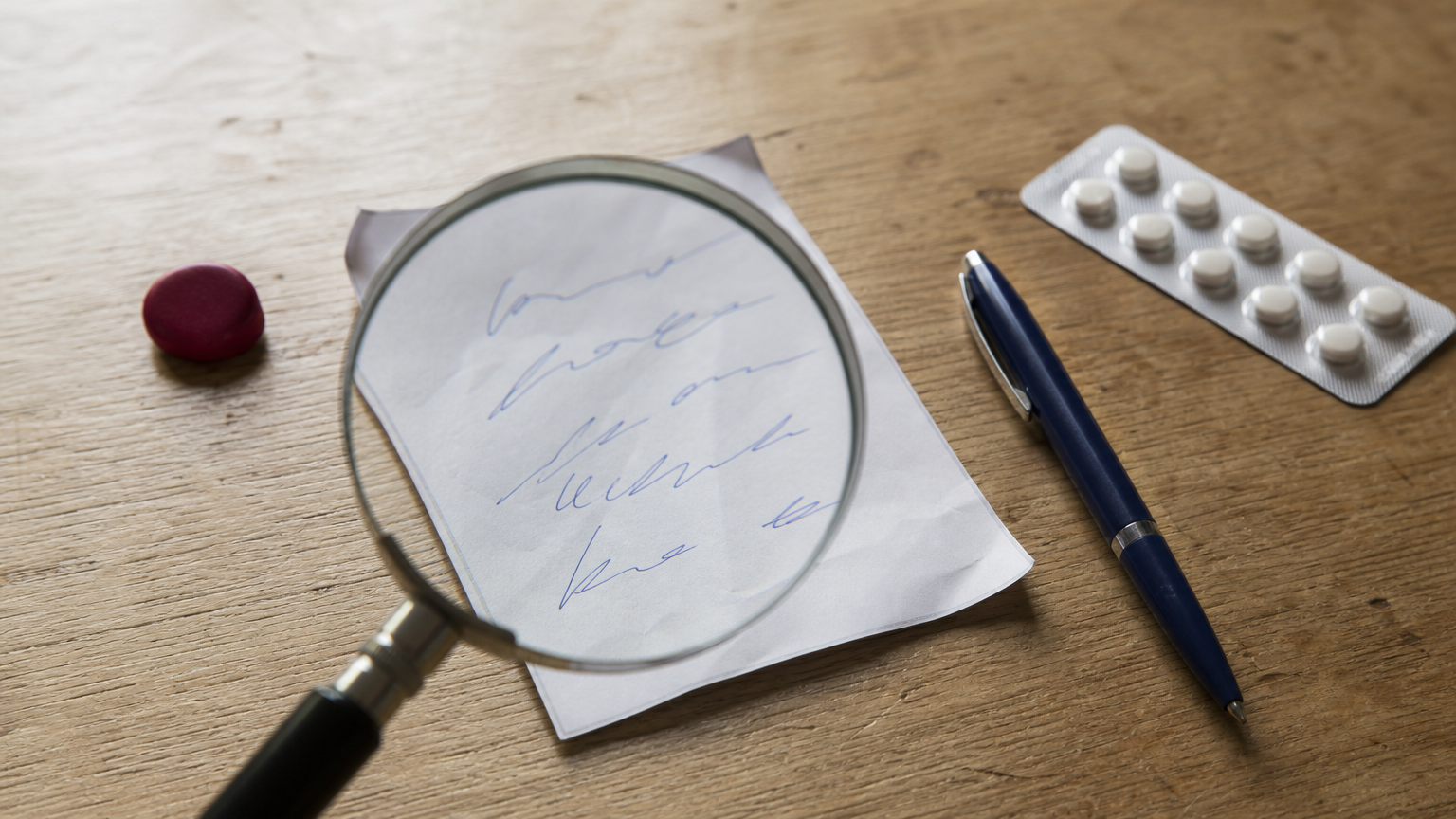
A prescription that nobody has to decode is a safer prescription.
Faster for you, your pharmacy and your patient
Speed comes from reuse. Most clinics prescribe the same ten or twenty combinations again and again, so a saved template turns a three-minute write-up into a few taps. Repeat patients are quicker still, because their last prescription is one click away.
Here is a worked example. Say you see 40 patients a day and templates save one minute per patient. That is 40 minutes a day. Over 25 working days it comes to about 17 hours a month. Treat the one-minute saving as an assumption and time your own clinic for a week to get a real number.
Searchable records instead of paper files
Paper prescriptions leave nothing behind except a carbon copy, if you are lucky. Digital ones build a history automatically.
| Point | Handwritten | Digital |
|---|---|---|
| Legibility | Depends on the writer | Typed and consistent |
| Missing details | Noticed late, if at all | Software can require key fields |
| Repeat prescriptions | Rewritten each time | Reused from patient history |
| Sharing | Paper or a phone photo | Print, PDF, SMS or WhatsApp |
| Finding old records | Flipping through files | Search by patient, drug or date |
| Change tracking | Hard to prove | Time-stamped log, if the software offers it |
How a digital prescription system works
An e-prescription system is a short loop. You record the visit, the software builds the prescription, and the patient or pharmacy receives it in a readable form. Everything else is detail on top of that loop.
The five steps from consultation to pharmacy
Most systems follow this sequence, whether they run on a desktop in a clinic or on a tablet in a ward:
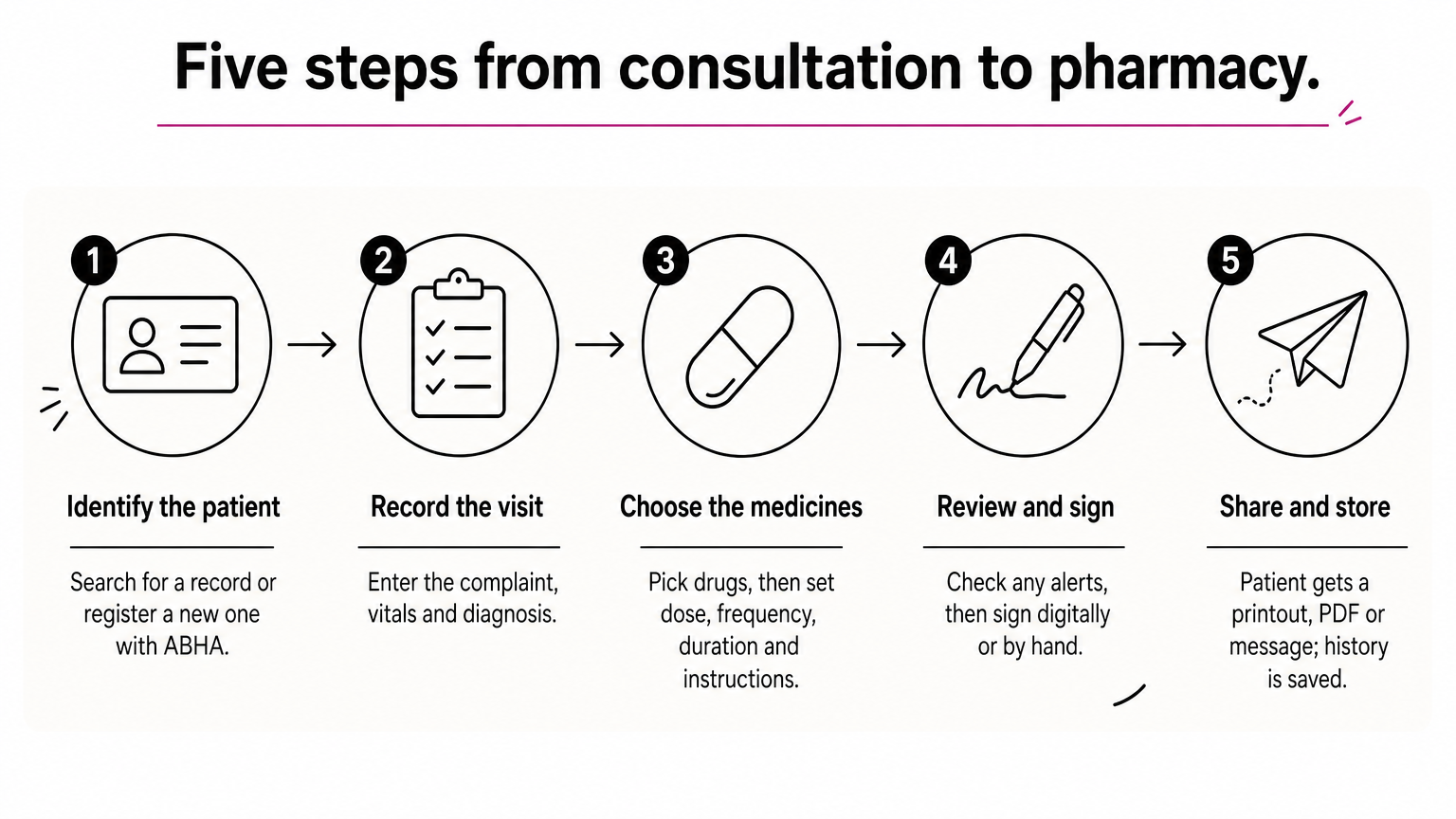
- Identify the patient. You search for an existing record or register a new one, ideally linked to the patient’s ABHA number.
- Record the visit. You enter the complaint, vitals and diagnosis.
- Choose the medicines. You select drugs from a built-in database, then set dose, frequency, duration and instructions.
- Review and sign. You check any alerts, then apply a digital signature or print the page and sign it by hand.
- Share and store. The patient receives a printout, PDF or message, and the prescription is saved to the patient’s history.
The doctor still makes every clinical decision. The software only removes the rewriting and the guessing.
What the software does behind the scenes
Several parts work together without you noticing. A drug database supplies names, strengths and forms, so you pick instead of spelling. Templates store your usual regimens. Some systems add safety alerts for allergies, duplicate drugs or dose ranges. Alert depth differs between products, so ask for a demonstration with your own typical cases.
The storage layer matters as much. Prescriptions are health data, so look for role-based access, encryption and regular backups. A change log shows who edited what, and when. India’s data protection rules make these features part of your responsibility, not a bonus.
What a valid digital prescription must contain
A digital prescription is only as good as the details on it. It must carry everything a paper one would, in a form that a pharmacist and a regulator can verify.
Details to include on every prescription
Check that your software prints or displays each of these:
- Patient name, age, sex and a contact or ID number
- Date of the consultation
- Your name, qualification and medical registration number
- Clinic or hospital name and address
- Diagnosis or clinical notes, where appropriate
- Drug names, preferably generic names, with strength, dose, frequency and duration
- Special instructions, such as "after food"
- Your signature, handwritten or digital
Indian medical ethics rules have long asked doctors to write generic names legibly. A digital system makes that habit easy to follow.
Rules and limits you should know
The Telemedicine Practice Guidelines of 2020 recognize e-prescriptions when a registered doctor issues them with the required details. The same guidelines restrict certain drugs over teleconsultation. Schedule X medicines are an example. Read the current text, or ask your medical association, before you prescribe remotely.
Storage carries its own duty. Because a prescription is personal health information, limit access to authorized staff and keep a record of changes. If you run a registered clinical establishment in Gujarat, also confirm what record-keeping your registration rules expect.
A digital prescription is valid because of what it contains and who issued it, not because it is on a screen.
How to start with digital prescriptions at your clinic or hospital
Start with one workflow, usually outpatient consultations, and pick software that matches how you already work. Trying to digitize everything in a week is how adoption fails.
A checklist for choosing e-prescription software
Use this list when you compare options in a demo:
- Prints your registration number and clinic details correctly
- Drug database with generic names and your own template library
- Alerts for allergies and duplicate drugs
- Patient instructions in English, Hindi or Gujarati
- ABDM and ABHA support, so records can link to national platforms
- Role-based access, encryption and backups
- Works with your existing HIMS, lab and billing systems
- Training and support for doctors, nurses and front-desk staff
Run a one-week pilot with one or two doctors before you roll it out to everyone. Their feedback on templates and print layout will save you weeks later.
How hospitals with inpatient wards handle it
A hospital needs more than an outpatient prescription pad. Medication orders, round notes and discharge medicines all belong in the same record. PurpleIPD is paperless IPD software for Indian hospitals, and it includes integrated OPD and IPD documentation with doctor-friendly digital prescriptions. Staff write with a stylus on standard Android tablets, much like on paper, and the system works alongside your existing HIMS instead of replacing it.
It also covers NABH, ABDM, HCX and PMJAY requirements, and it runs on-premises so patient data stays inside your own infrastructure. Most hospitals are up and running in 6 to 8 weeks, and the team configures your existing paper forms during onboarding. A single-doctor clinic may only need a simpler OPD tool, so match the software to the size of your operation.
Digitize one workflow first, prove it works, then extend it to the rest of the hospital.
Where to begin
A digital prescription gives you legible orders, reusable templates, searchable history and a record you can defend. It works through a simple loop of identify, record, prescribe, sign and share, and it stays valid as long as it carries the right details and the right safeguards.
Pick one workflow, run a short pilot and measure the minutes you save. If you run a hospital with inpatient wards and want prescriptions, case sheets and consents in one paperless record, book a demo of PurpleIPD and see it working on your own forms.
