Electronic medical records (EMR) are the digital version of a patient’s chart, kept by one hospital or clinic. An EMR system stores diagnoses, medicines, allergies, test results, clinical notes and orders in structured form, so authorized staff can read and update them without a paper file. The standard definition adds one limit that matters: the record is created and used by clinicians and staff within a single healthcare organization.
This article goes beyond that definition. You will see why EMRs matter on a hospital ward, how to use and roll out an EMR system, what information the record holds, how it differs from an electronic health record (EHR), and where these systems go wrong.
PurpleIPD is built by PurpleBits Infosystems for Indian hospitals that still run inpatient care on paper files. The practical advice here comes from that ward-level view, where records are actually written. Use it to judge any EMR system, whether it is ours or someone else’s.
Why electronic medical records matter to hospitals
Electronic medical records matter because they make a patient’s clinical story legible, complete and findable, which paper files cannot guarantee once a ward gets busy. The gains show up first in safety, then in audits and claims. Time savings are the least reliable benefit, so do not budget on them.
Safer, more complete patient records
Paper fails in predictable ways. Handwriting gets misread, files go missing, and one absent page can stall a discharge. The classic example is a pharmacist reading a 10 mg order as 70 mg. A typed or structured entry removes that failure, and an EMR can prompt staff to complete required fields before a patient moves on.

In 2003 the Institute of Medicine listed eight functions an EMR should support for safety, quality and efficiency. Four of them matter most on an inpatient ward:
- Clinician access to diagnoses, allergies, lab results and medications
- Computerized provider order entry
- Decision support that flags drug interactions
- Standards-based storage and reporting for patient safety
Faster retrieval, audits and claims
Retrieval is the second gain. When a consultant, an auditor or an insurer’s TPA asks for a document, a search replaces a walk to the medical records department. For hospitals facing NABH audits or claim queries, complete, time-stamped entries are the evidence. Incomplete files slow discharge and give insurers a reason to query a claim.
Structured entries also help management. You can count diagnoses, procedures and lengths of stay instead of tallying registers by hand.
What the evidence says about time
Do not sell an EMR internally as a time saver. A systematic review of 23 studies found that nurses saved about 24.5% of documentation time with bedside terminals. Physicians using point-of-care systems spent 17.5% more time documenting. A time-motion study in five primary care clinics found that total time per patient barely moved, from 27.55 to 27.05 minutes.
Studies that measured soon after go-live tended to show savings, and later studies showed increases. So judge an EMR on safety, completeness and retrieval, and design the screens to keep entry short.
An EMR earns its place through safer, more complete records, not through guaranteed time savings.
How to use electronic medical records in a hospital
You use an EMR system by making it the first place every clinical entry is written, then rolling it out one ward at a time with clear owners and measurable goals. The software matters less than the discipline around it.
How staff use the record day to day
On a ward round, the doctor opens the patient’s record and reads the history, allergies and latest results. The doctor then writes the progress note and places orders. Nurses chart vitals and medication rounds. Pharmacy and the lab see the same orders, and the discharge summary draws on what was entered during the stay.

The rule that makes this work is simple. Enter data during the round, not after it. Notes written from memory at the end of a shift are where gaps and errors creep back in.
Steps to roll out an EMR system
Follow this order for a hospital moving off paper:
- Map every form in use. List IPD files, consent forms, nursing charts and registers, and decide which ones NABH audits and your insurers need.
- Set the scope. Start with inpatient wards, or OPD, or both, but pick one first.
- Check integration. Confirm how the EMR works with your HIS or HIMS, lab systems and billing software.
- Choose devices and network. Decide on tablets, stylus or keyboard entry, and where the data is stored.
- Name owners. You need a clinical champion who motivates doctors and a project manager who owns the schedule.
- Pilot, then expand. Go live in one ward, lighten workloads for a short period afterward, and measure before you extend.
A sample rollout timeline
A realistic plan for a mid-sized hospital runs about eight weeks:
| Weeks | Work | Result |
|---|---|---|
| 1 to 2 | Collect every IPD form, register and chart, and agree which stay | Final form list |
| 3 to 4 | Digitize forms, set user roles, connect to HIMS, lab and billing | Configured system |
| 5 | Train doctors, nurses and medical officers on the pilot ward | Trained pilot team |
| 6 | Pilot ward goes live with extra support | Live ward and issue log |
| 7 to 8 | Fix issues and extend to remaining wards | Full inpatient rollout |
PurpleIPD follows this pattern for inpatient documentation. It digitizes your existing forms, including scanned ones, so staff scribble on Android tablets much as they do on paper. It works alongside your HIMS, lab and billing systems, and most hospitals are up and running within 6 to 8 weeks.
Roll out one ward at a time, and keep the forms your staff already know.
What information electronic medical records hold
An EMR holds the clinical and administrative record of a patient’s care inside one organization, from identity details to the discharge summary. Everything a clinician would have written in a paper file lives here, plus coding and billing fields that paper rarely captured cleanly.
The core data in a patient’s EMR
| Category | Typical contents |
|---|---|
| Identity and demographics | Name, age, contact details, hospital ID, ABHA number if linked |
| Medical history | Past illnesses, surgeries, family history, immunizations |
| Allergies and medicines | Known allergies, current and past prescriptions, doses |
| Clinical notes | Round notes, progress notes, nursing charts, vitals |
| Orders and results | Lab orders and reports, imaging requests and images |
| Consents and media | Signed consent forms, consent recordings, clinical photographs |
| Coding and billing | Disease codes, procedure codes, charges, insurer details |
| Discharge summary | Diagnosis, treatment given, medicines and follow-up advice |
Most EMRs give you standard templates for disease codes and billing, and many embed high-quality imaging so the picture sits next to the note. That is why a good EMR replaces both the case sheet and several registers.
What turns the data into a system
A pile of scanned pages is not an EMR system. The system part is the set of functions on top of the data. Order entry sends a request to the lab or pharmacy. Decision support checks a new prescription against allergies and current medicines. Results flow back into the record without retyping. Scheduling and billing read the same entries.
An audit trail completes the picture. It records who created or changed each entry and when, which protects clinicians and the hospital if a record is questioned later.
A record becomes a system when it can prompt, check and report, not just store.
Electronic medical records vs electronic health records
An EMR is the record kept inside one hospital or practice, while an EHR is built to follow the patient across organizations. The two terms are often used interchangeably, but the difference is real when you buy software or plan data sharing.
The differences side by side
| Aspect | EMR | EHR |
|---|---|---|
| Scope | One hospital, clinic or practice | Many providers and care settings |
| Who can access it | Authorized staff of that organization | Authorized members of the wider care team |
| Data sources | The organization’s own clinical entries | Clinical notes plus labs, pharmacies and therapists |
| Portability | Usually stays within the organization | Designed to move with the patient |
| Main purpose | Document and manage care in-house | Coordinate care across venues |
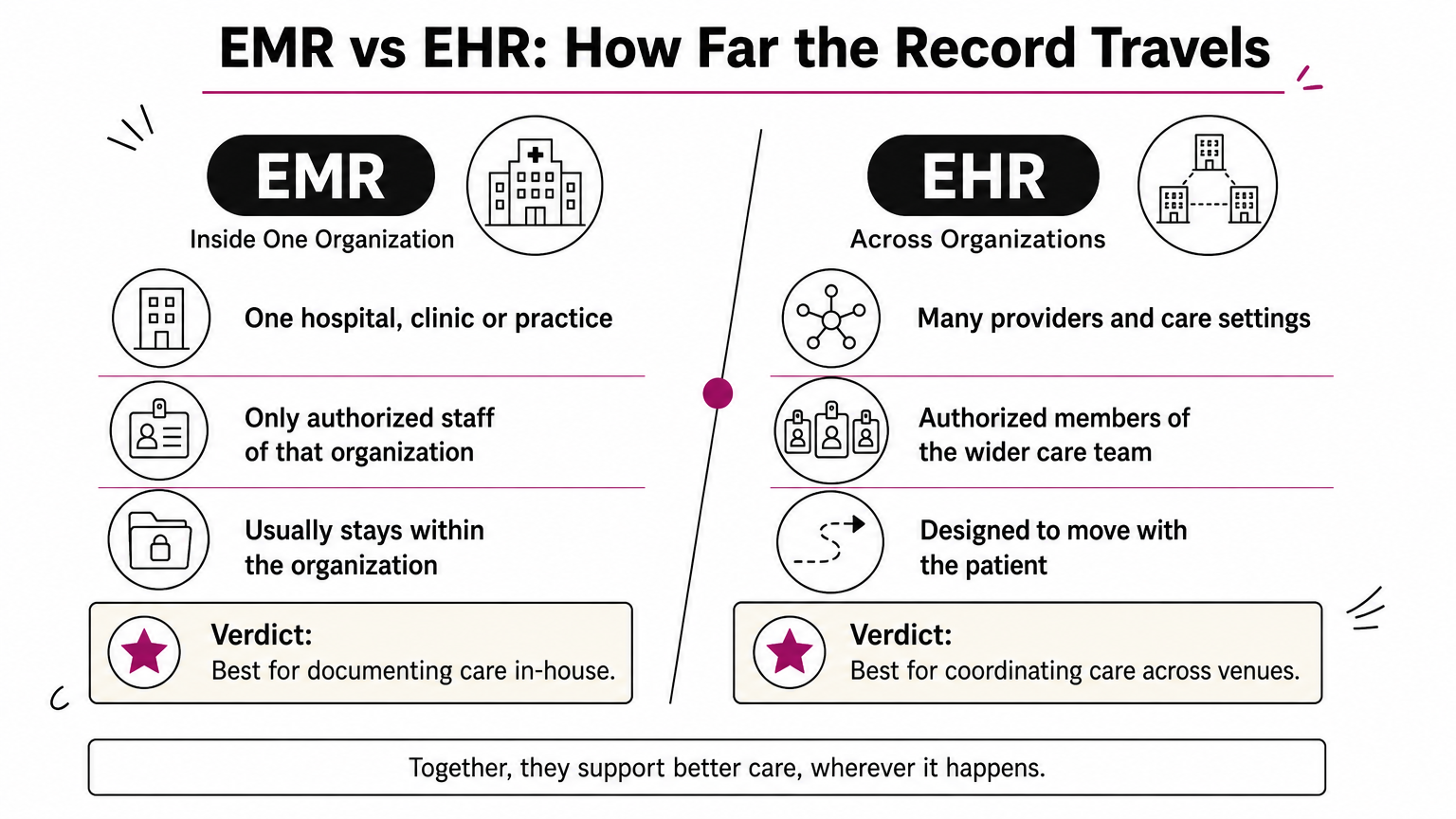
An EMR can hold most of the information an EHR does. What it usually lacks is interoperability, the ability to exchange data with other systems in agreed formats.
Why the terms blur in practice
Vendors, doctors and even government documents mix the two words, and one product can work as both. In India, the Ayushman Bharat Digital Mission lets patients link records from different providers through an ABHA number and share them with consent. A hospital’s EMR is the source that feeds that wider health record.
A simple test cuts through the vocabulary. Ask whether clinicians at another organization can open this record, with the patient’s consent.
If only your own staff can open the record, it is an EMR. If the care team elsewhere can too, it is an EHR.
Limits and risks of electronic medical records systems
EMR systems usually disappoint for four reasons: heavy data entry, poor workflow fit, weak data exchange and thin security. The idea is sound, but the execution decides the result.
The data entry burden
Screens built around clicks can bury clinicians. A study of emergency doctors in a US community hospital counted about 4,000 mouse clicks in a typical 10-hour shift, with over 40% of the shift spent on data entry. That is four hours and roughly 400 clicks an hour, or one every nine seconds. Ordering an aspirin took 6 clicks, a chest X-ray 8 and a prescription 15, so those three orders alone cost 29.
The lesson is to test the screens with your own staff before buying. Forms that mirror paper, with stylus or keyboard entry, cut navigation compared with menu-driven screens.
Data sharing and vendor lock-in
Many EMR vendors have historically used proprietary database formats, which makes it hard to exchange data with other products. Before you commit, ask how the system connects to your HIMS, lab and billing software, and whether it supports national platforms such as ABDM and HCX. An EMR that cannot exchange data becomes a new silo.
Security and compliance
Patient records are sensitive, and India’s Digital Personal Data Protection Act places duties on whoever holds them. Look for role-based access, a full audit trail, and encryption of data in storage and transmission. PurpleIPD, for example, logs every change, login and access, encrypts data, and can keep records on the hospital’s own on-premises infrastructure.
Test any EMR on your own wards and your own forms before you sign, because adoption fails at the point of writing, not at the point of purchase.
Where to start with your records
Electronic medical records are the digital chart of one hospital: complete, legible and searchable, with an audit trail and functions that check as well as store. They differ from EHRs in reach, not in kind. Their value comes from safer records and faster retrieval, and they succeed when you keep the forms staff know, pilot on one ward and test the screens against real work.
If your inpatient wards still run on paper IPD files, the next step is to see how that documentation looks on a tablet. You can book a PurpleIPD demo and bring your own forms to review.